
ChildSafe — a guide, not a leash.
Gentle, private parental monitoring that helps you understand and support your child — without spying on them. Activity is captured on the device, kept encrypted, and viewed only by you.

One for parents.
One for children.
Our privacy-first apps help parents stay informed and empowered, while giving children a safe, focused and balanced digital experience. Built for real family needs, with privacy at the core.

The viewer
An app on your phone
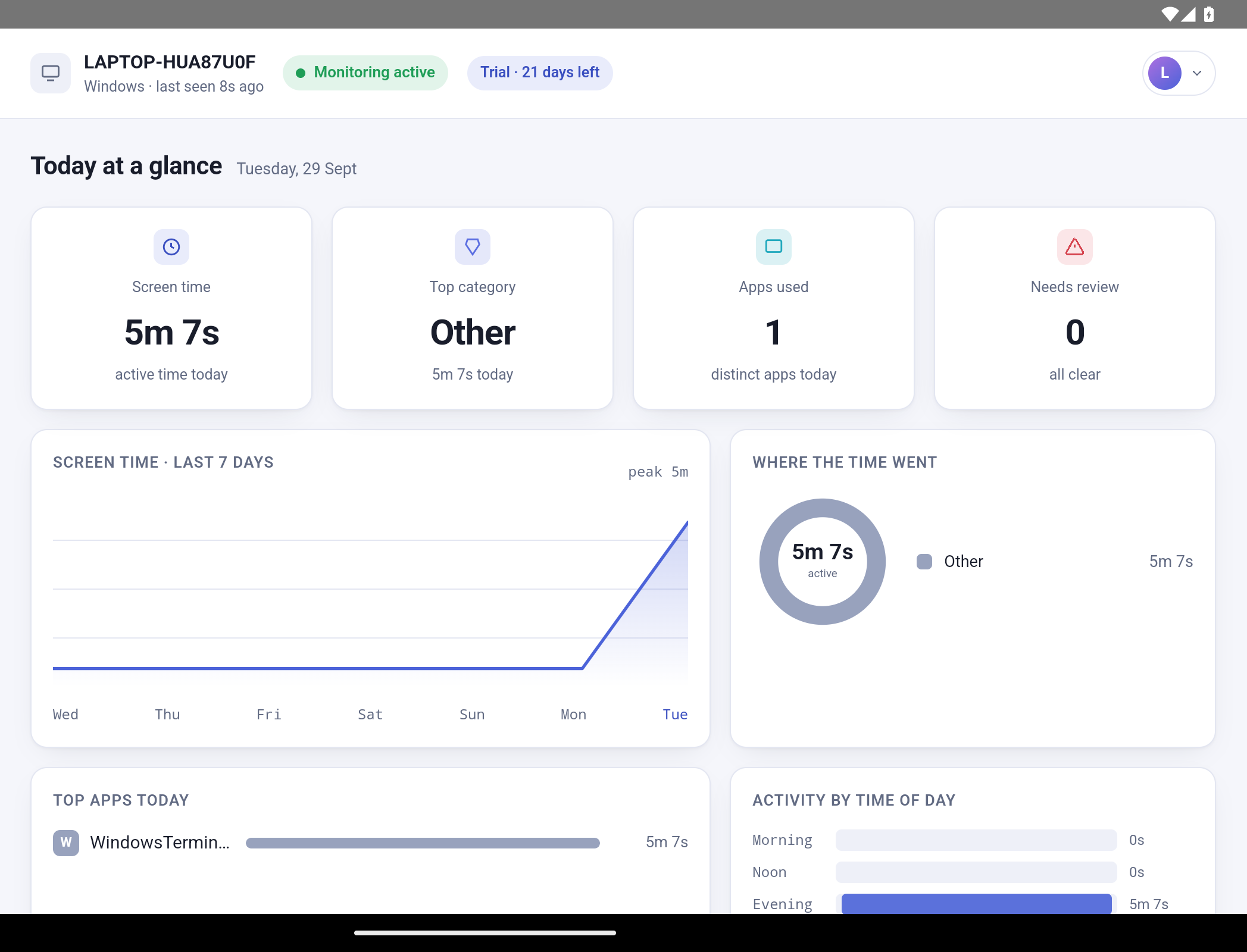
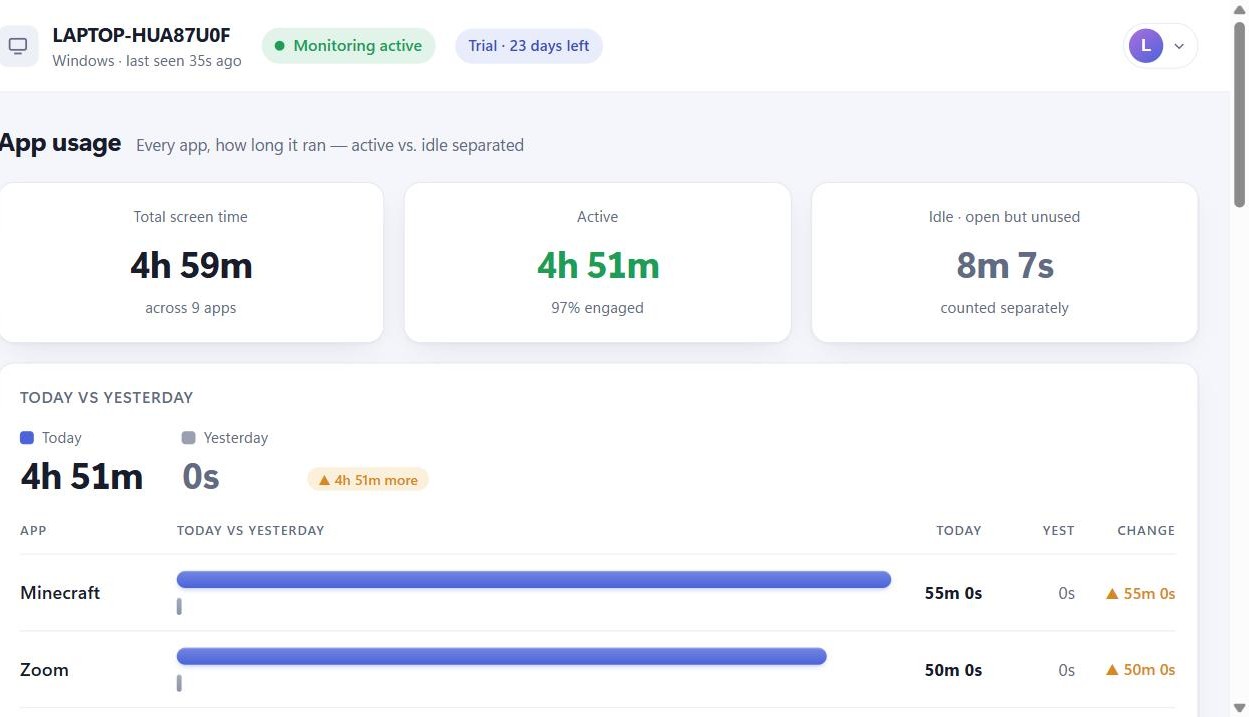
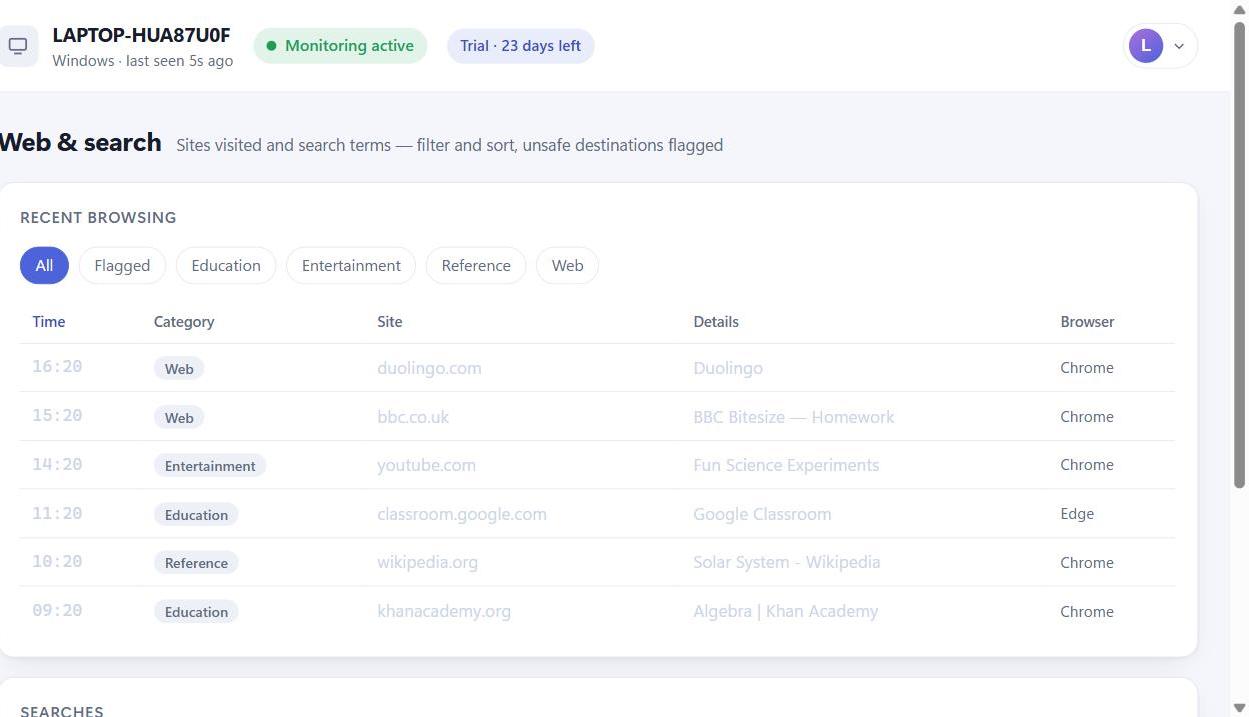
Where you see what matters — today at a glance, app usage, web & search, history and alerts — managed from Settings. Check in from anywhere, right on your phone, and step in at the right moment, not every moment.
- Daily overview at a glance
- App usage, web & search, history
- Check reports from anywhere
The agent
Installed on your child’s device
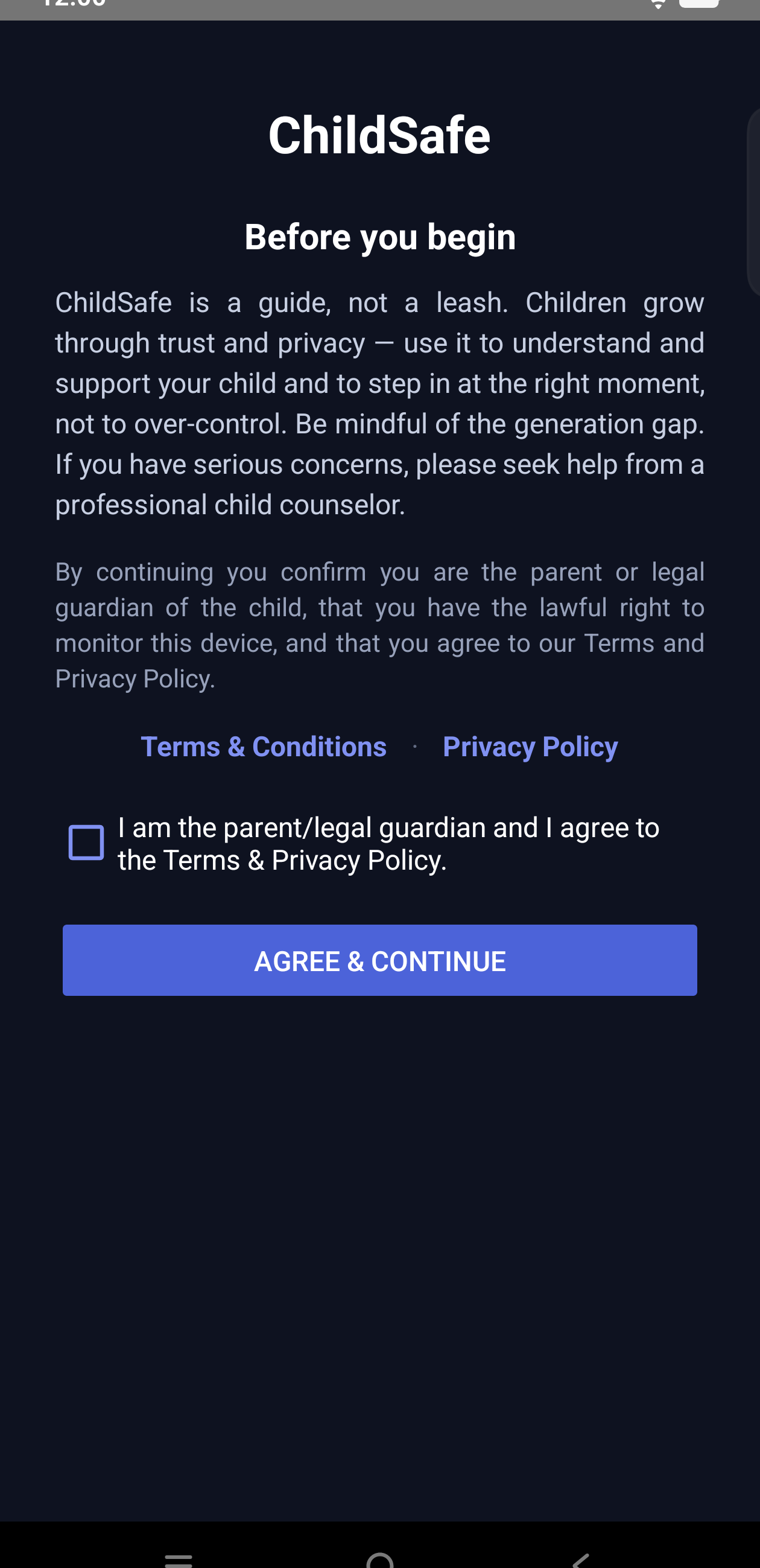
Runs quietly on the child’s Windows PC or Android device and records activity on-device. It starts with clear consent — ChildSafe is a guide, not a leash — and nothing is uploaded to our cloud.
- Consent-first onboarding
- Pairs with a quick QR scan
- Encrypted — never on our cloud
Set up in minutes.
Scan a QR code to pair, then watch over things from your phone — wherever you are.
Install & consent
Set up ChildSafe on the child’s Windows PC or Android device — consent is built into onboarding.
Scan to pair
Scan a QR code to securely link the child’s device to your phone. No fiddly setup.
Watch from anywhere
Open the app on your phone to check reports wherever you are — at home or away.
Laptop and phone, one dashboard.
Both show up in your parent app. Here is what each platform monitors.
| Feature | Windows Laptop | Android Phone |
|---|---|---|
| Activity | ||
| App usage & time spent | ✓ | ✓ |
| Screenshots (periodic) | ✓ | — |
| Live screen view | ✓ | — |
| Web history — every URL visited | ✓ | — |
| Search terms captured | ✓ | — |
| Location | ||
| GPS location tracking | — | ✓ |
| Safe-zone alerts (geofencing) | — | ✓ |
| Controls | ||
| Web filter (by category) | ✓ | ✓ |
| SafeSearch enforcement | ✓ | ✓ |
| Block specific apps | ✓ | ✓ |
| Daily screen-time limit | ✓ | ✓ |
| Bedtime enforcement | ✓ | ✓ |
| Alerts to parent | ||
| New app installed | — | ✓ |
| Suspicious / sideloaded app | — | ✓ |
| SOS button (child-triggered) | — | ✓ |
Why no screenshots or web history on mobile? These require Android's Accessibility Service, which causes banking apps — Google Pay, PhonePe, HDFC etc. — to refuse to open while it's active. We removed it so your child's payment apps keep working normally.
Private by design
Activity stays encrypted on your own device — not on someone else’s cloud.
Windows & Android
One account watches over the family PC and the kids’ phones and tablets.
Consent & lawful use
Set up by a parent or legal guardian, with consent built into onboarding.
Gentle, not creepy
Designed to support and guide — clear purpose, no dark patterns.
Free during early access.
No registration, no credit card — download and install in minutes.
Have a question? Ask us →
ChildSafe questions
Straight answers before you decide.
ChildSafe
Is ChildSafe spying on my child?
No — and the difference matters. Spyware hides from the person being monitored. ChildSafe is fully transparent: your child sees a persistent notification on their phone (“ChildSafe Monitoring is Active”) and a system-tray icon on their laptop. They know monitoring is on. The purpose is parental oversight, not covert surveillance.
Where is the activity data stored?
On your child’s device — not on our servers. Screenshots, location, app usage, and web history are encrypted and stored locally on the child’s device. When you view them from the parent app, you’re connecting directly to your child’s device. Our servers never see this data — they only hold the tokens needed to connect your devices and send alerts.
Which devices does it work on?
The child agent runs on Windows 10/11 (64-bit) laptops and Android 8.0+ phones and tablets. The parent viewer app requires Android 6.0 or above. Both devices can be monitored from the same parent app.
How do I set it up?
Install the ChildSafe agent on your child’s device, open the parent app on your phone, and scan the pairing QR code — the two devices link automatically. Set your rules (web filter, bedtime, app limits) from your phone. The whole process takes about 10 minutes on first setup.
Who can set it up?
A parent or legal guardian. You need brief physical access to the child’s device during the initial install. After pairing, all monitoring and configuration is done remotely from the parent app — no need to touch the child’s device again.
Will my child know they’re being monitored?
Yes. ChildSafe is fully transparent: your child sees a persistent notification on their phone and a system-tray icon on their laptop. Informed monitoring is both legally sound and more effective for building trust and responsible behaviour over time.
Can I monitor multiple children?
Yes. Each child’s device is paired separately and shows up in your parent app. Tap to switch between children.
Does the web filter work away from home, on mobile data?
Yes. The Android web filter runs as a VPN on the device itself — it doesn’t depend on your home Wi-Fi. It filters all traffic whether the child is at home, at school, or on mobile data.
Does it work in incognito / private mode?
Yes, on both platforms. The web filter works at the network level, not inside a browser — it doesn’t matter which browser your child uses or whether private mode is on.
Can my child uninstall ChildSafe?
On Android, the app requires revoking Device Administrator permission before uninstalling — a system-level step — and you receive an alert when it happens. On Windows, the agent runs as a background service and needs administrator access to remove. Both versions are meaningfully tamper-resistant for a typical child.
What data does ChildSafe store on its servers?
Very little — only what’s needed to connect your devices and send alerts: device pairing tokens, push notification tokens, monitoring configuration (time limits, blocked apps, bedtime) and subscription status. Your child’s screenshots, location history, app usage logs and web history stay on their device only — they are never uploaded.
Does it drain the battery?
The Android agent uses Android’s UsageStats API (not continuous recording) for app monitoring, and the web filter is a lightweight VPN. Location is polled on a configurable interval. Users report minimal additional battery drain.
What if my child uses a different browser?
All browsers are covered. The web filter works at the network level (VPN on Android, OS network layer on Windows) — Chrome, Firefox, Edge, Opera, Samsung Browser — all go through the same filter regardless of private mode.
What if the device is offline?
Blocking rules — bedtime, app block, screen time, web filter — all run locally on the child’s device and continue working without an internet connection. Activity logs sync to your view the next time you connect.
Does ChildSafe log keystrokes?
No. ChildSafe captures on-screen content (what’s visible on the screen), web URLs, and search terms — not individual keystrokes. This is an important distinction for both privacy and Play Store compliance.
Do I need to grant all permissions during setup?
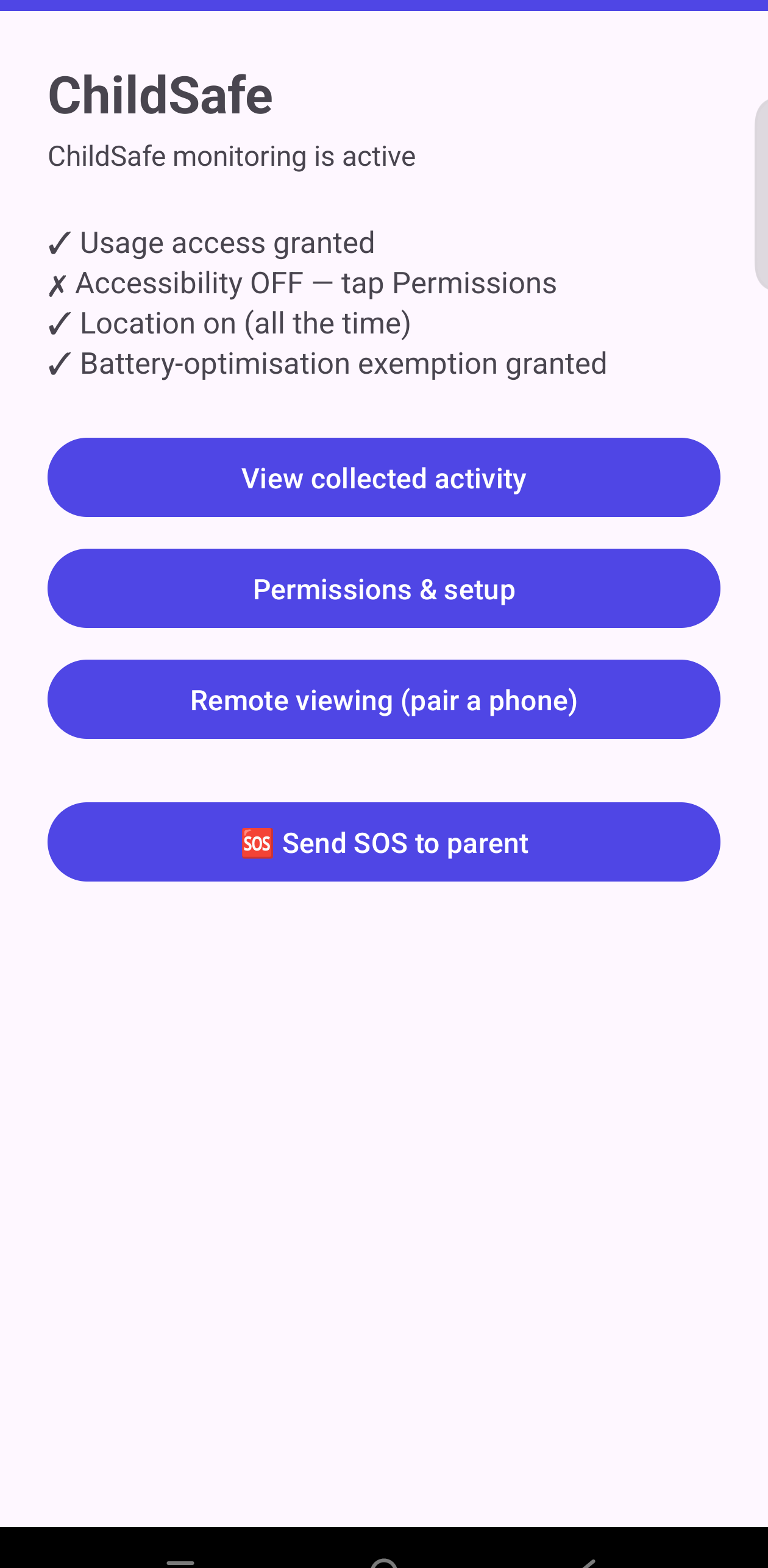
No. Only App Usage access is required to complete setup. Location and battery-optimisation exemption are recommended for full monitoring — location tracking and reliable low-network operation — but can be skipped. The app will only collect data for the permissions that have been granted. You can review and update permissions anytime from "Permissions & setup" inside the app.
Is a parent phone required to use ChildSafe?
No. Reports are visible on the child's phone too — but set a PIN first, and make sure it's one your child can't guess.
Where do I download ChildSafe?
The Windows installer is available now — free during early access. Android apps are coming soon.
How much does ChildSafe cost?
Free during early access — no registration, no credit card needed. Download and install it today.Download ChildSafe →
Still have a question? Ask us →or request a call back
Questions about ChildSafe?
Ask us anything about how ChildSafe works. We’ll reply with a clear, honest answer.
Prefer a call? Request a call back — we ring you, you share nothing but your number.
Pune, India · support@dakshdigital.in